Gutenberg Technology
Role: UX Researcher, Product Designer Duration: September-December 2025
Project Goal
Evaluate the usability and discoverability of GT’s AI tools, focusing on how easily first-time users could find, understand, and complete core tasks
Overview
Identified key friction points to improve clarity, efficiency, and user confidence
While the tools offered powerful functionality, the experience introduced uncertainty—particularly around how to access features, generate content, and interpret AI-generated changes.
Research Approach
Conducted a mixed-method usability study combining 3 methods
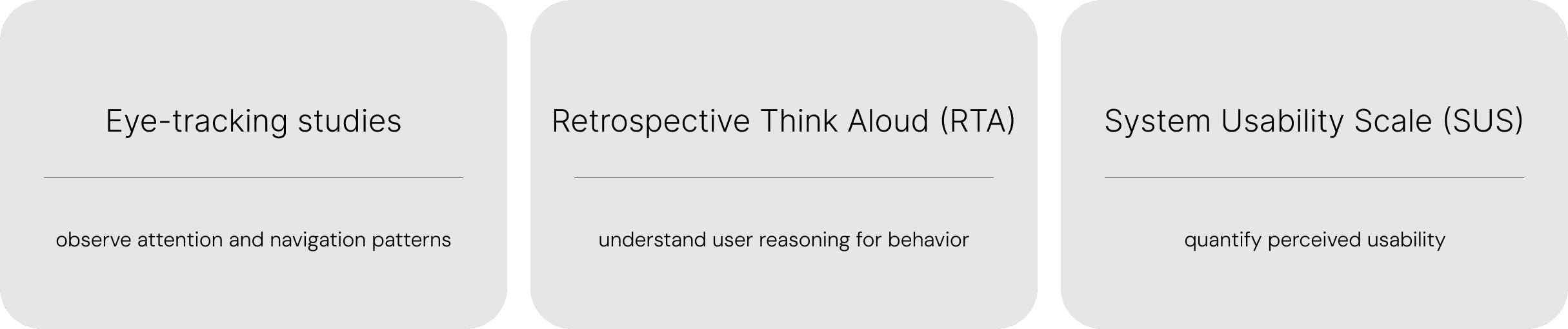
Participants were asked to complete core tasks such as:
Editing content using AI
Generating new content
Reviewing and comparing AI-generated changes
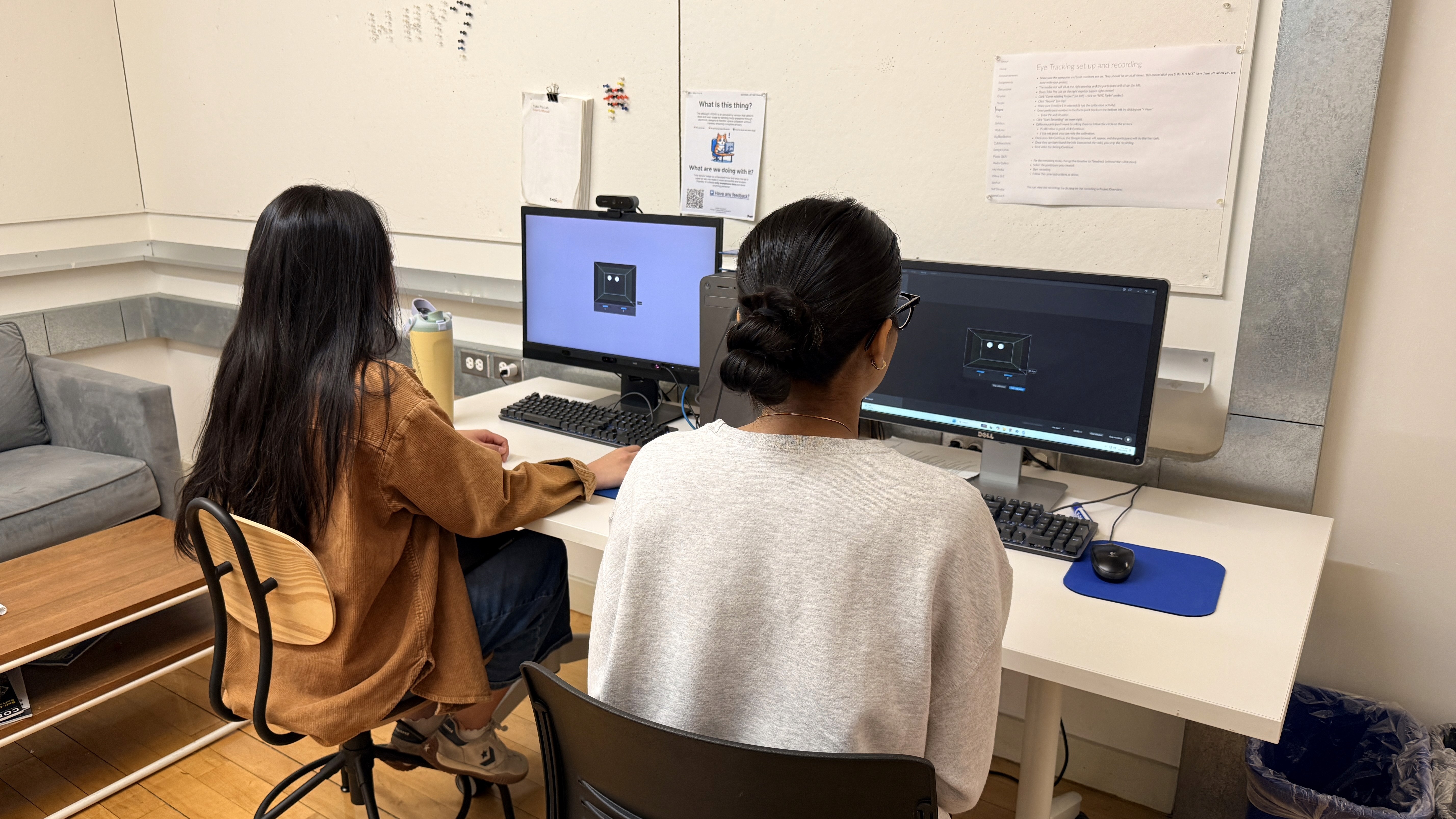
Conducting eye-tracking studies with Tobii
Key Finding
GT's AI tools suffer from low discoverability and a lack of systemic clarity
Participants felt:
Confusion around where to start
Increased cognitive load during tasks
Low confidence in AI-generated outputs
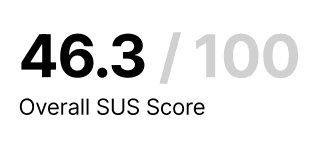
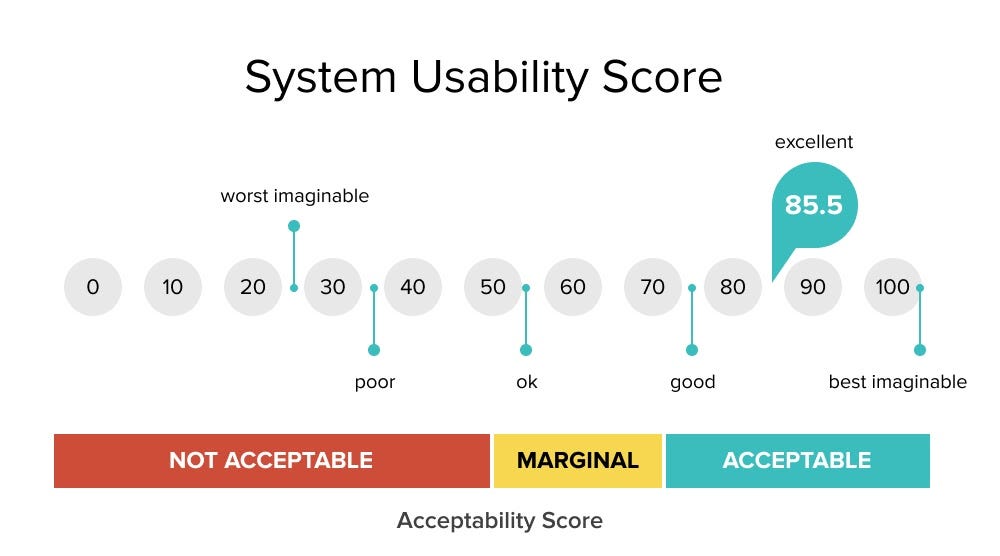
This was reflected in a low SUS score, indicating poor overall usability.
Insights & Recommendations
Key "edit with AI" entry point was not immediately visible or intuitive
What we saw:
Users scanning the interface without clear direction
Delays before interacting with AI tools
Reliance on trial-and-error
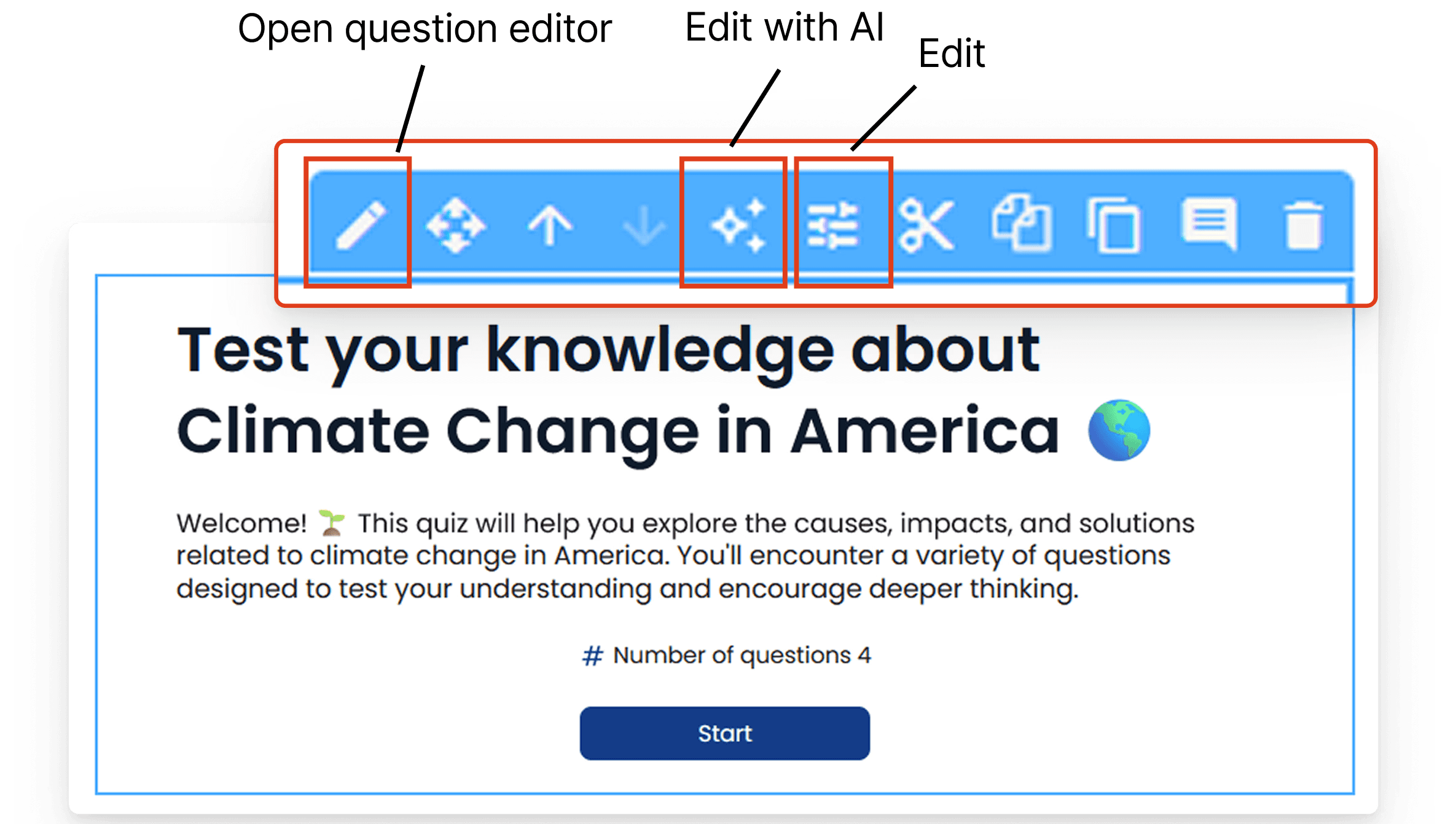
Too many editing options introduced decision paralysis, leaving participants unsure which action to take
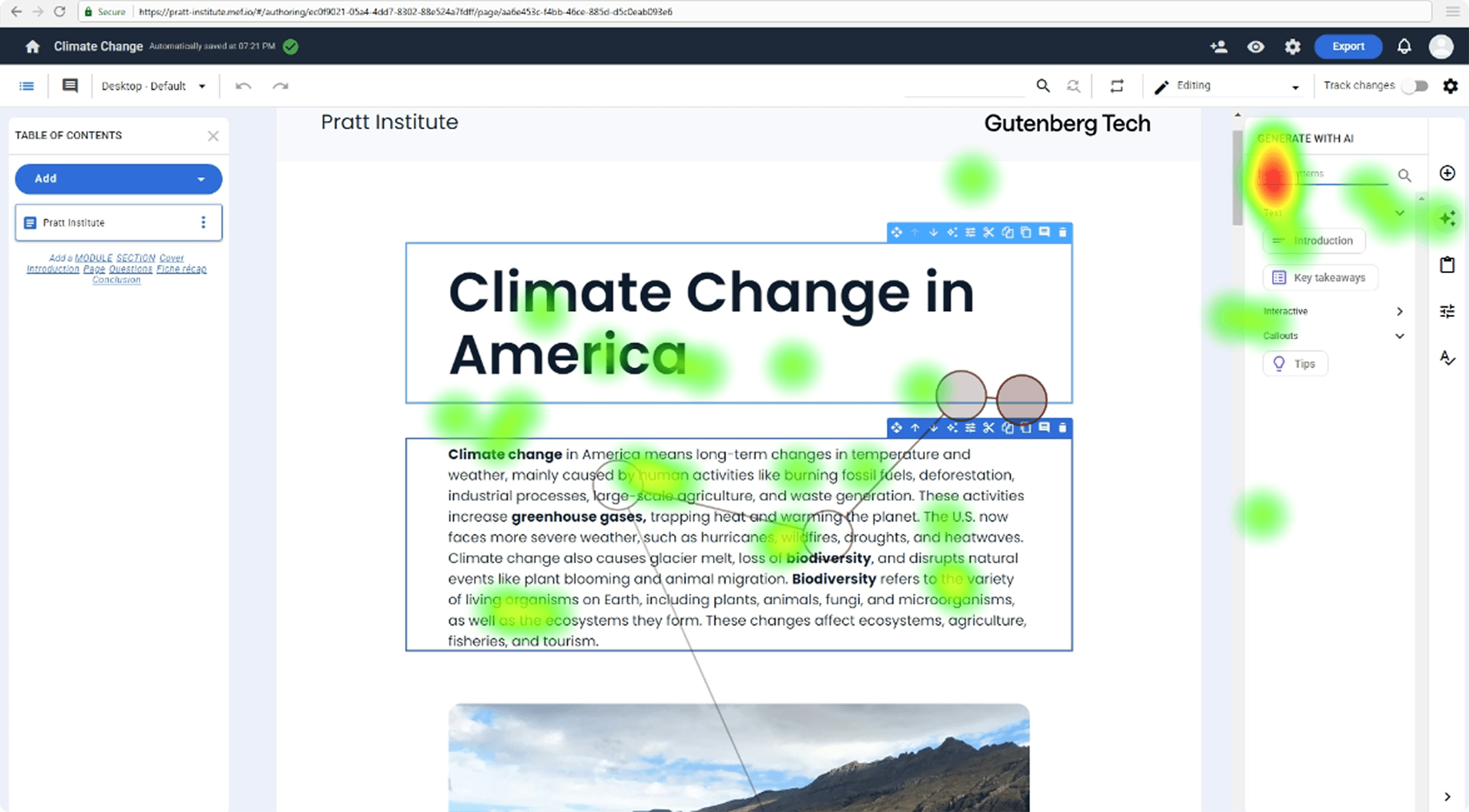
Heatmap showing that our participant didn’t fixate on the correct icon at all when tasked to “Edit with AI”
Recommendation
Consolidate AI actions into a single, clearly labeled entry point aligned with user expectations
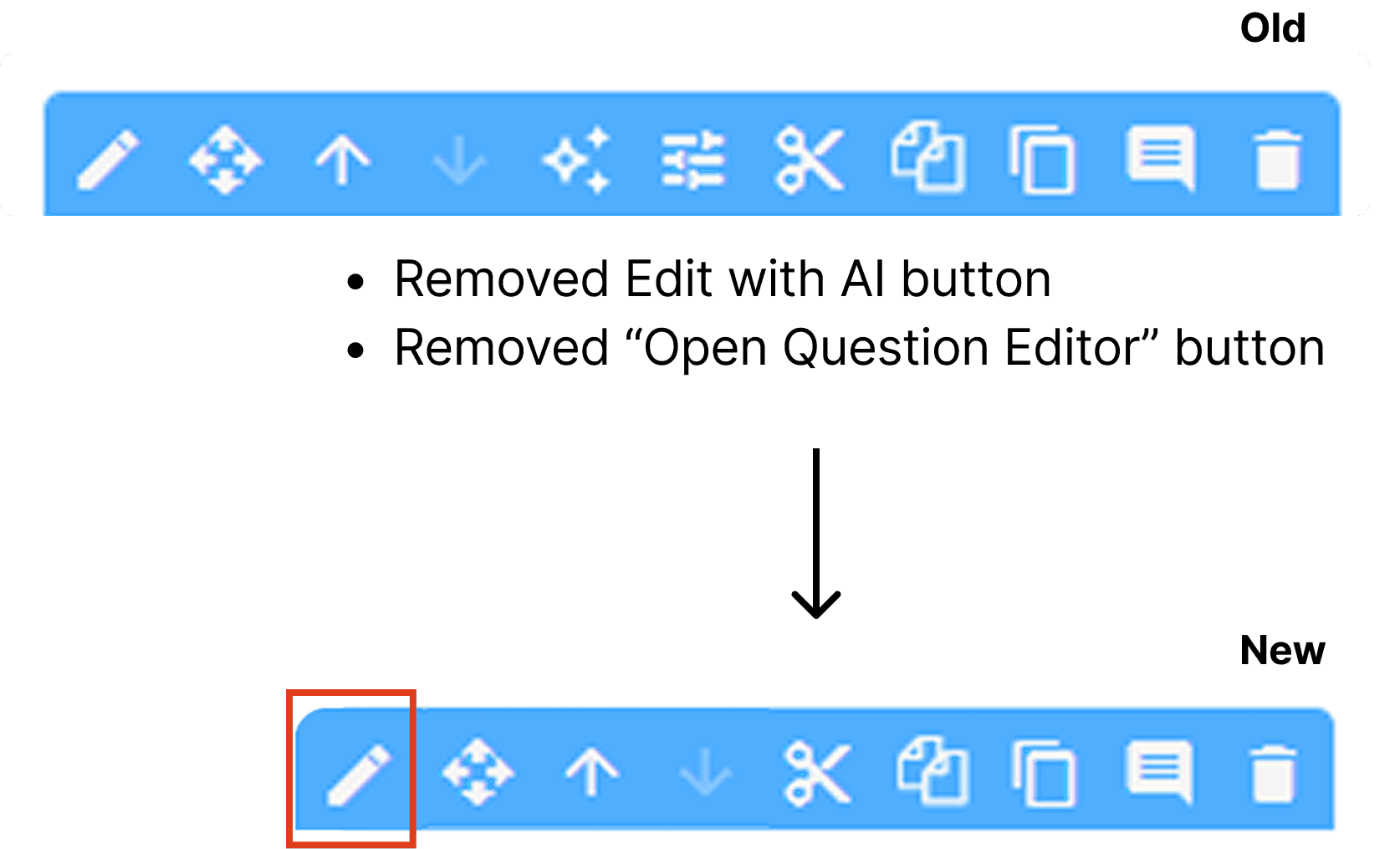
Removed excess "edit" buttons
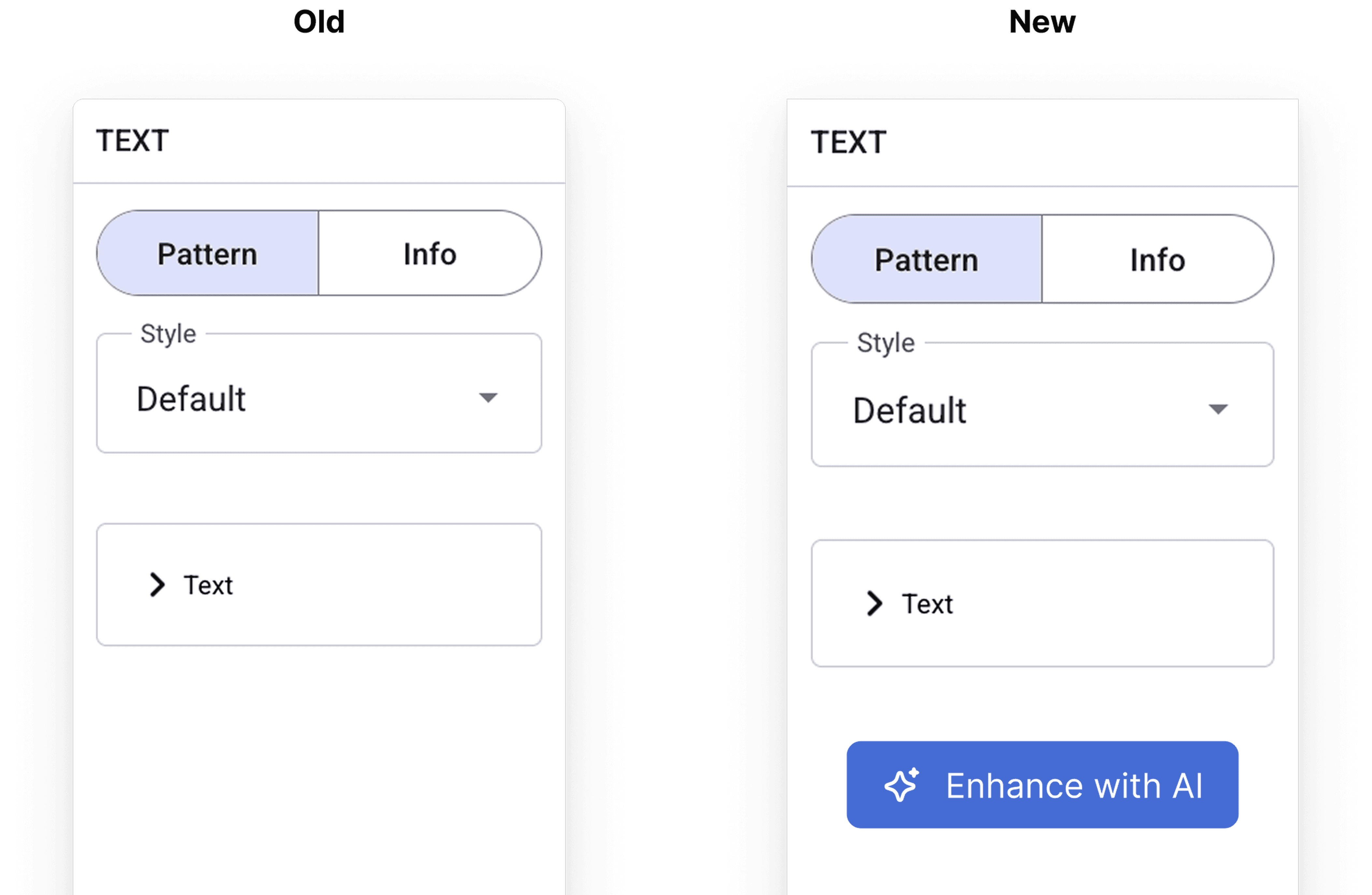
Moved "edit with AI" inside the now singular edit menu to reduce cognitive load
The “Generate with AI” call-to-action was difficult to find and not integrated into the natural workflow
6/8 participants misinterpreted CTAs and touchpoints as entry points for AI generation. For example, “Add Questions” under the table of contents was mistaken for an AI feature, and the ‘+’ menu led users to assume it contained all content generation tools. This resulted in missed or delayed discovery of the actual AI functionality.
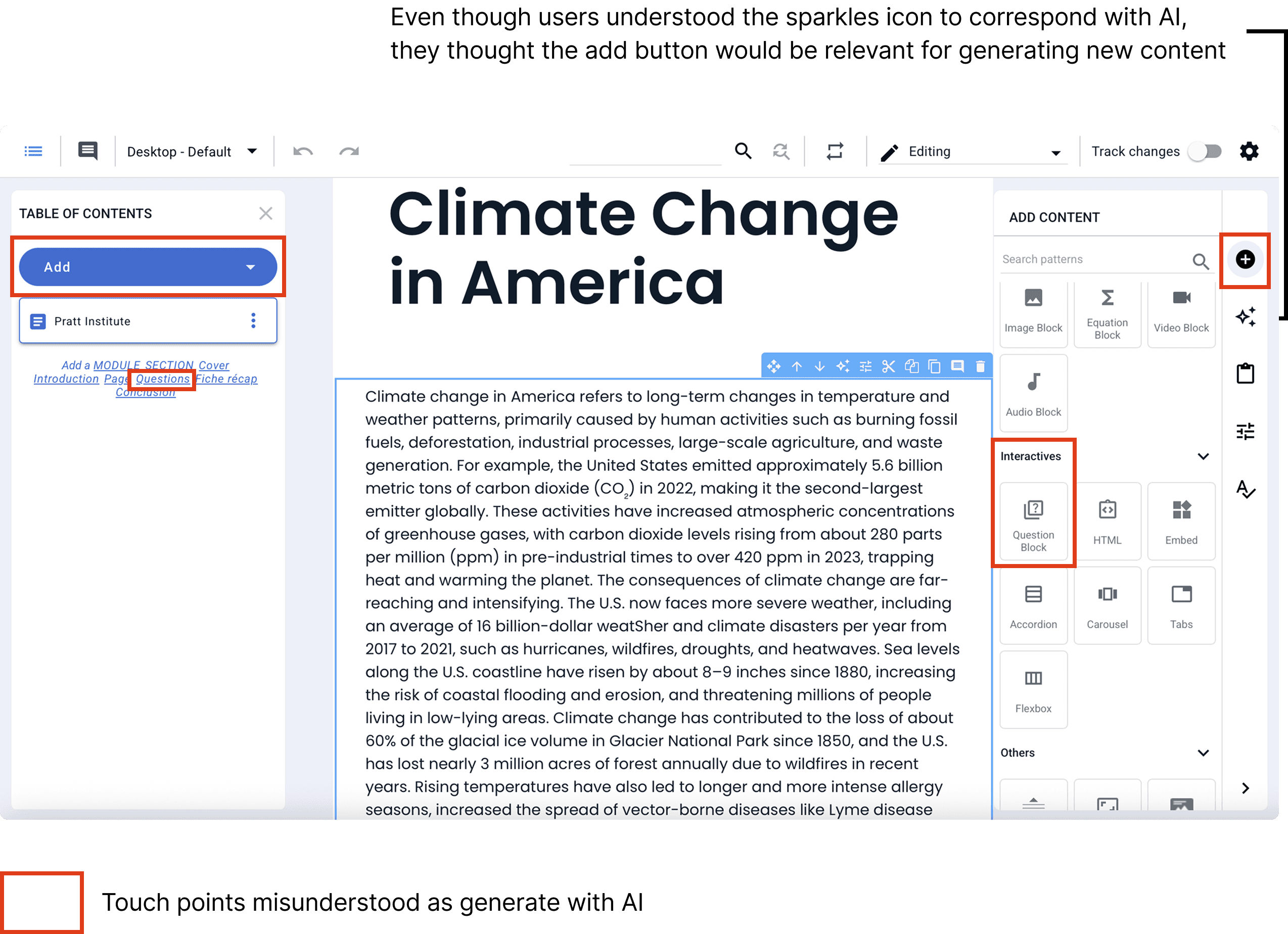
Participant 2 scans the “+" Add panel looking for AI quiz generation
Recommendation
Integrate “Generate with AI” options into the "+" add section on the right toolbar to align with user expectations
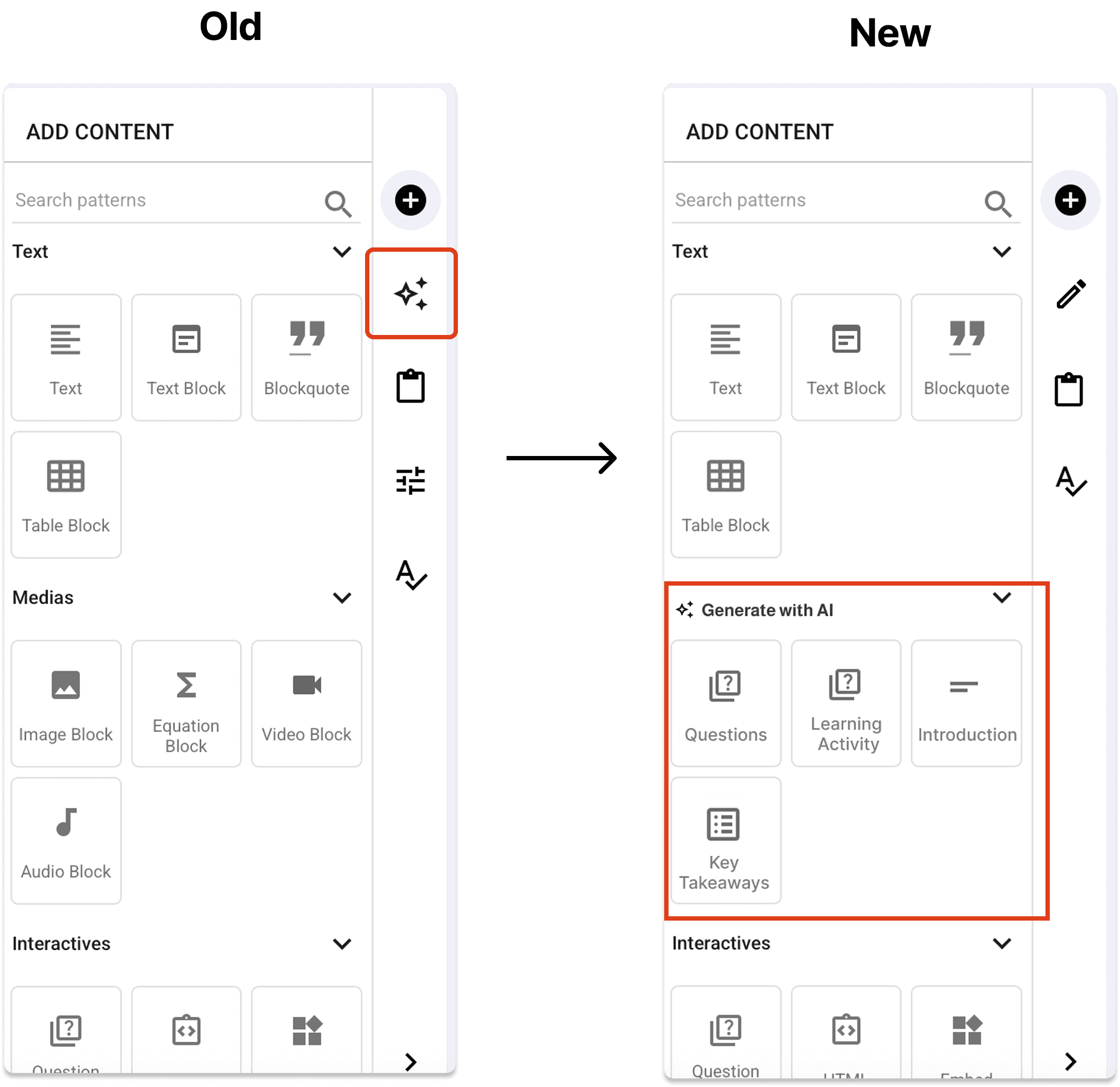
Added a dedicated section for AI generation within the “+” panel and updated the edit icon to a pencil to match user's mental model and keep consistency throughout
Lack of Clarity in AI-Generated Edits
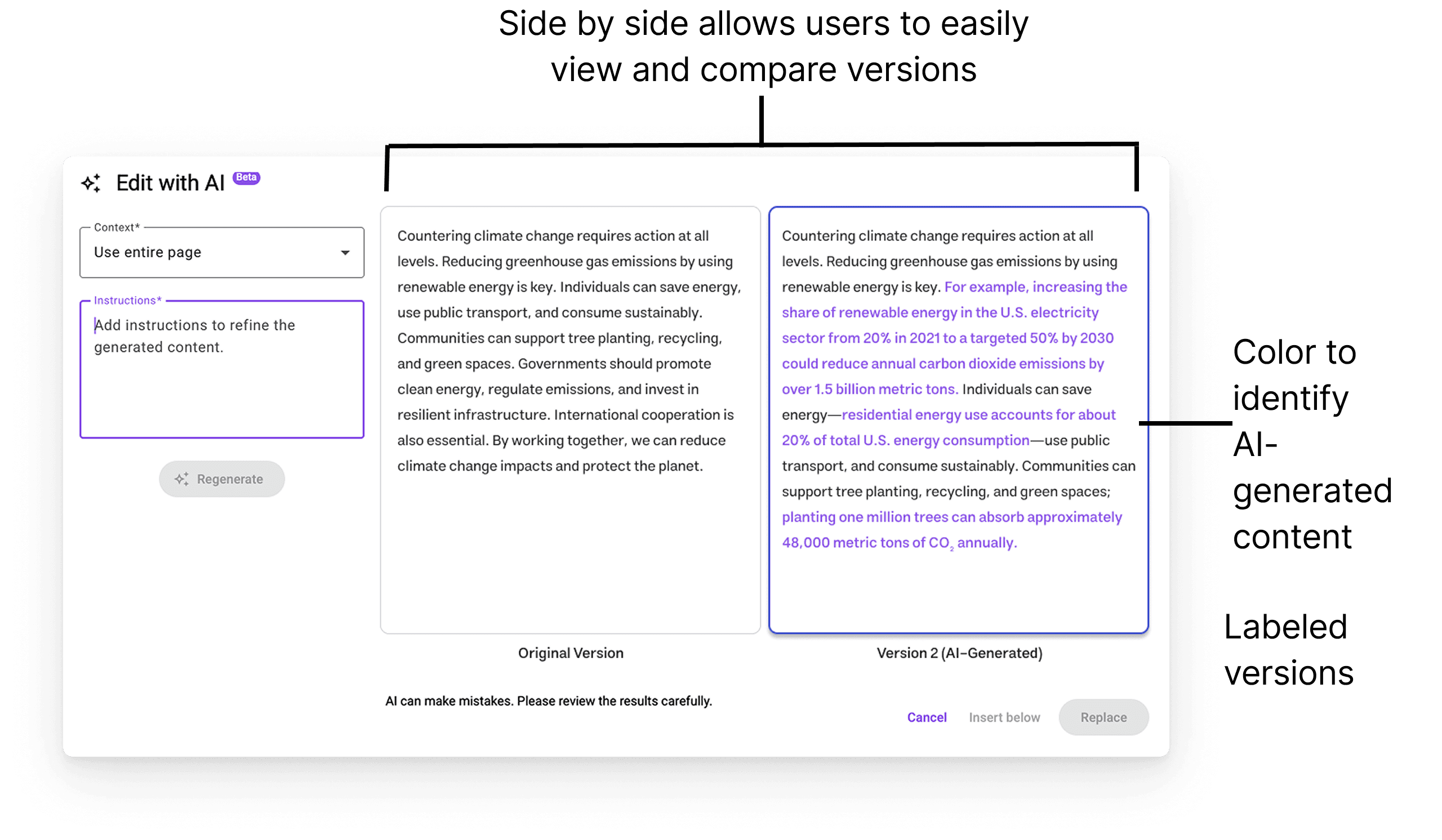
Users had difficulty distinguishing what had changed between original and AI-generated content when using the "edit with AI" tool, often clicking back and forth repeatedly to compare versions.
User toggles back and forth to try and find the edits
“It is very mentally taxing to read through both things to try and see what’s changed.”
-User quote
Recommendation
Introduce a side-by-side comparison view with clear labeling and color-coded highlights to make AI-generated changes easy to identify
Impact
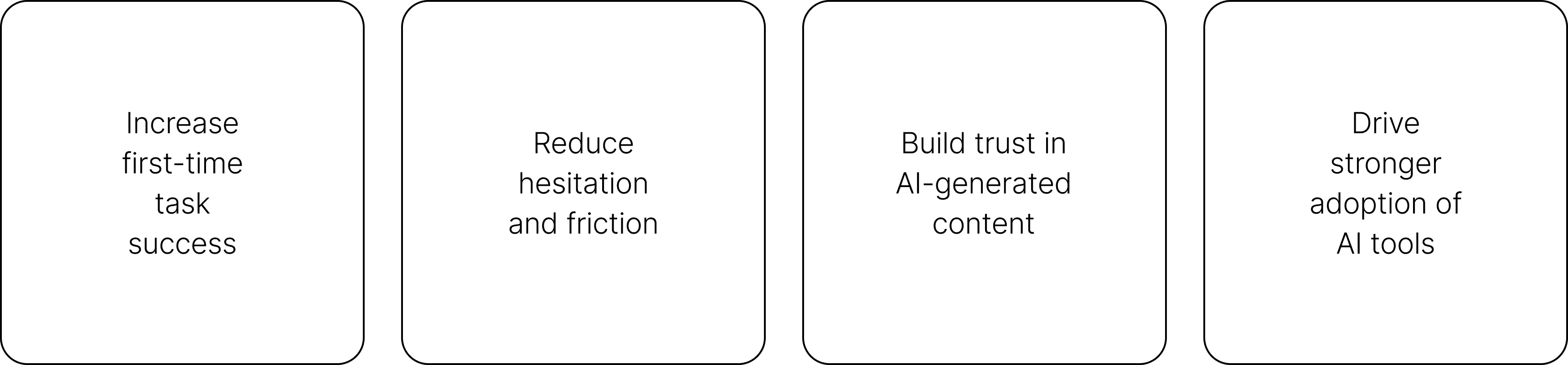
Shifting the experience from "What did the AI just do?" to "I understand and trust this"
By improving clarity and discoverability, these changes are expected to:
Presentation
Findings were presented virtually to stakeholders across Product and Design teams
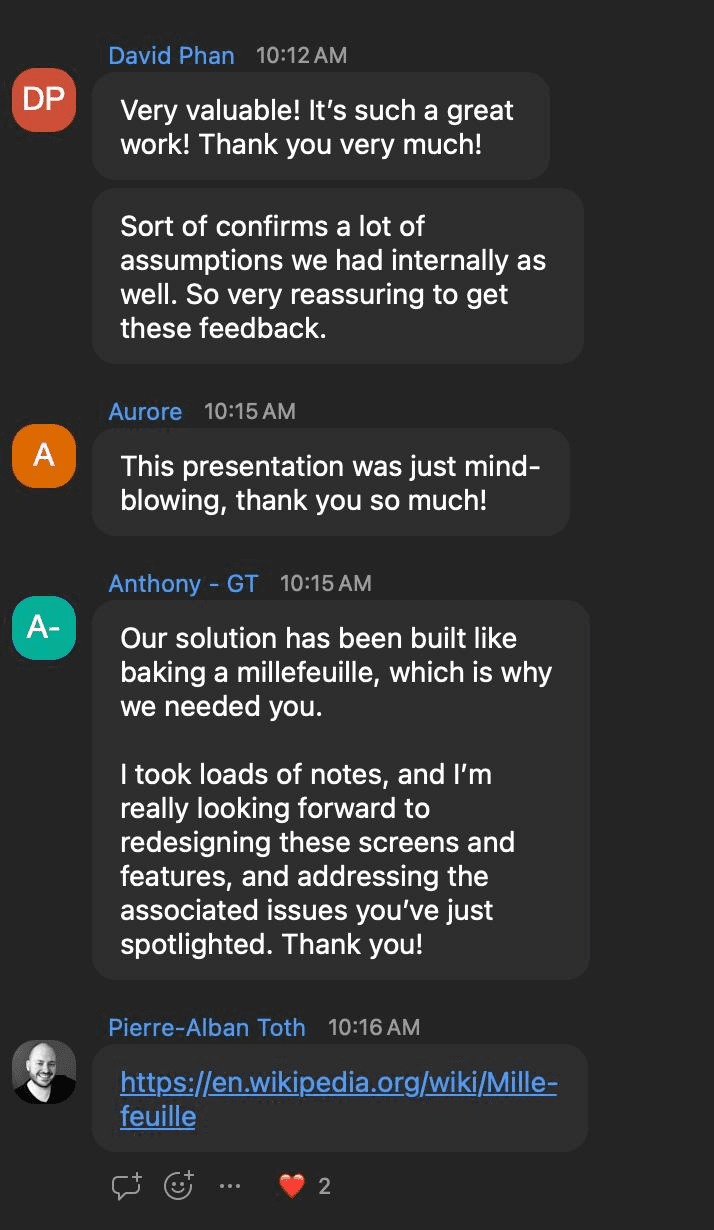
The presentation was met with strong enthusiasm from the team.
Stakeholders described the work as “very valuable” and “mind-blowing,” noting that the insights not only validated internal assumptions but also revealed deeper usability challenges.
More importantly, the findings directly influenced next steps—teams began planning redesigns of key screens and workflows based on the issues identified, reinforcing the impact of translating user behavior into clear, actionable design direction.

